Comprehensive Printable Baby Milestone Tracker: From Smiles to First Steps

5 min read Fact Checked
Comprehensive Printable Baby Milestone Tracker: From Smiles to First Steps
Medical Disclaimer This content is for informational purposes only. It is not a substitute for professional medical advice. Always consult your pediatrician.

About the Baby Milestone Tracker Tool

Baby-Milestone-Tracker-Tool


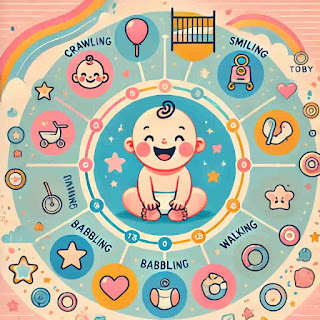
TheBaby Milestone Tracker is an interactive tool designed to help parents track their baby's developmental milestones. It comes preloaded with common milestones organized by age, and it allows you to add custom milestones as needed. You can mark milestones as completed to monitor your baby's progress over time with download and printable.
How to Use the Tool
Viewing Milestones:  
   - The tracker displays a list of milestones grouped by age (e.g., "2 months", "4 months"). Each milestone includes a description, such as "Smiles at people" or "Babbles with expression."

Marking Milestones as Completed:  
   - Next to each milestone, you'll find a checkbox. When your baby achieves a milestone, click the checkbox to mark it as completed. You can uncheck it if needed.

Adding Custom Milestones:  
   - At the bottom of the page, there’s a section titled - Add Custom Milestone.  
   - Enter the age (e.g., "6 months") and a brief description of the milestone in the respective fields.  
   - Click the Add Milestone button, and your custom milestone will appear in the list.
Baby Milestone Tracker

Baby Milestone Tracker

Add Custom Milestone

Progress

0% Completed

Set Reminder

Select a milestone to set a reminder:

Frequently Asked Questions (FAQs)

What is the Baby Milestone Tracker?

The Baby Milestone Tracker helps parents track their baby's development milestones, set reminders, and download or share reports, including custom milestones.

How can I add a custom milestone?

To add a custom milestone, enter the age, milestone description, and optionally upload a photo in the "Add Custom Milestone" section, then click the "Add Milestone" button.

Can I download the milestone report?

Yes, you can download a detailed PDF report of the milestones you have selected or completed. The report will also include custom milestones and uploaded photos.

How do I set a reminder for a milestone?

To set a reminder, select a milestone from the dropdown in the "Set Reminder" section and click the "Set Reminder" button.

Can I share my baby's milestones on social media?

Yes, you can share the milestone report on Facebook or Instagram directly from the tool.

What happens if I mark a milestone as completed?

When you mark a milestone as completed, it contributes to the overall progress shown in the progress bar, and it will be included in the downloaded report.

Is my data saved when I close the browser?

No, the data entered in this tool is not saved permanently. Make sure to download your report before closing the browser.

Comments

Featured Post

Is Aveeno Good for Babies? A Parent's Guide to Safety & Eczema

Is Aveeno Good for Babies? A Real Parent’s Guide to Safety, Eczema, and Skin Care Navigating the baby care aisle can feel completely overwhelming for new parents. When you are operating on just a few hours of sleep, staring at dozens of lotions and body washes with long chemical names doesn't help. You want something that keeps your baby’s skin soft, but more importantly, you want something safe that won't trigger rashes. Among the sea of choices, Aveeno Baby is a brand that almost every parent notices. It is highly visible, widely recommended in parenting circles, and famous for its oat-based formulas. But is aveeno good for babies , or is it just clever marketing? As parents, we need to look past the pretty packaging. A baby’s skin is structurally different from ours. At birth, a newborn's skin is significantly thinner than an adult’s and lacks a fully developed "acid mantle"—the delicate, slightly acidic outer layer (ideally sitting at a pH of 5.5) that s...